> ## Documentation Index
> Fetch the complete documentation index at: https://dripart-chore-sync-comfy-api-v2-spec-462120c.mintlify.site/llms.txt
> Use this file to discover all available pages before exploring further.
# ComfyUI NewBie-image-Exp0.1 워크플로 예제
> NewBie-image-Exp0.1은 Next-DiT 기반의 3.5B 파라미터 애니메이션 스타일 텍스트-이미지 생성 모델로, XML 구조화 프롬프트를 지원하며 ComfyUI에서 고품질 애니메이션 이미지를 생성합니다.
**NewBie-image-Exp0.1**은 NewBieAI Lab이 개발한 애니메이션 스타일 텍스트 기반 이미지 생성용 3.5B 파라미터 DiT 모델입니다. Next-DiT 아키텍처를 기반으로 구축되어 놀라울 정도로 상세하고 시각적으로 뛰어난 애니메이션 이미지를 생성합니다.
**주요 특징**:
* **3.5B 파라미터 모델**: 고품질 애니메이션 생성을 위한 효율적이면서도 강력한 모델 크기
* **Next-DiT 아키텍처**: Lumina 아키텍처 연구를 기반으로 새롭게 설계된 NewBie 아키텍처 적용
* **듀얼 텍스트 인코더**: Gemma3-4B-it을 기본 인코더로 사용하고 Jina CLIP v2로 프롬프트 이해도 향상
* **FLUX VAE**: FLUX.1-dev 16채널 VAE를 활용하여 더 풍부한 색상과 더 세밀한 텍스처 디테일 제공
* **XML 구조화 프롬프트**: 더 나은 어텐션 바인딩과 속성 분리를 위한 XML 형식 지원
**관련 링크**:
* [GitHub](https://github.com/NewBieAI-Lab/NewBie-image-Exp0.1)
* [Hugging Face](https://huggingface.co/NewBie-AI/NewBie-image-Exp0.1)
* [시작 가이드](https://ai.feishu.cn/wiki/NZl9wm7V1iuNzmkRKCUcb1USnsh)
## NewBie-image 텍스트 기반 이미지 생성 워크플로
NewBie Exp0.1: 애니메이션 생성
NewBie Exp0.1의 Next-DiT 아키텍처로 상세한 애니메이션 스타일 이미지를 생성합니다. XML 구조화 프롬프트를 지원하여 다중 캐릭터 장면과 속성 바인딩을 개선합니다.
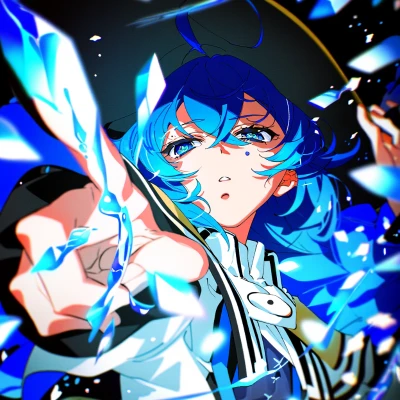 Comfy Cloud에서 열기
JSON을 다운로드하거나 템플릿 라이브러리에서 "NewBie-image" 검색
**출력 예시**
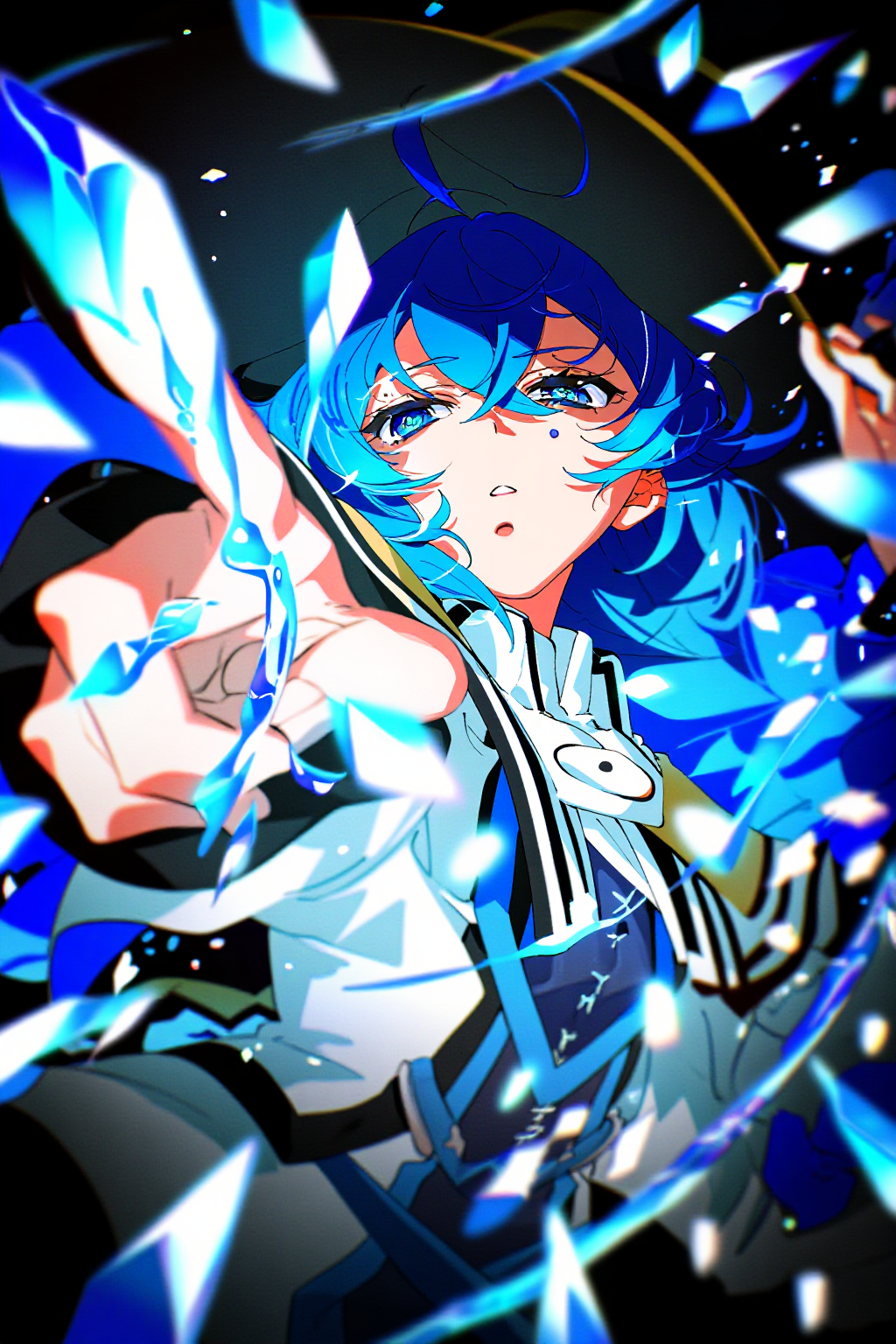
ComfyUI가 최신 버전으로 업데이트되었는지 확인하세요.
* [ComfyUI 다운로드](https://www.comfy.org/download)
* [업데이트 가이드](/ko/installation/update_comfyui)
이 가이드의 워크플로는 [워크플로 템플릿](/ko/interface/features/template)에서 확인할 수 있습니다.
템플릿에서 찾을 수 없다면, 귀하의 ComfyUI가 오래된 버전일 수 있습니다.
워크플로를 로드할 때 노드가 누락되는 경우, 가능한 원인:
1. 최신 ComfyUI 버전(최신 테스트 버전(nightly))을 사용하고 있지 않음
2. 일부 노드가 시작 시 가져오기에 실패함
* [클라우드](https://cloud.comfy.org)는 ComfyUI 안정판 출시 후 업데이트됩니다.
따라서 이 문서에서 핵심 노드가 누락된 것을 발견했다면, 그 이유는 새로운 핵심 노드가 아직 최신 안정판에 공개되지 않았기 때문일 수 있습니다. 다음 안정판 출시를 기다려 주세요.
## 모델 링크
**text\_encoders**
* [gemma\_3\_4b\_it\_bf16.safetensors](https://huggingface.co/Comfy-Org/NewBie-image-Exp0.1_repackaged/blob/main/split_files/text_encoders/gemma_3_4b_it_bf16.safetensors)
* [jina\_clip\_v2\_bf16.safetensors](https://huggingface.co/Comfy-Org/NewBie-image-Exp0.1_repackaged/blob/main/split_files/text_encoders/jina_clip_v2_bf16.safetensors)
**diffusion\_models**
* [NewBie-Image-Exp0.1-bf16.safetensors](https://huggingface.co/Comfy-Org/NewBie-image-Exp0.1_repackaged/blob/main/split_files/diffusion_models/NewBie-Image-Exp0.1-bf16.safetensors)
**vae**
* [ae.safetensors](https://huggingface.co/Comfy-Org/z_image_turbo/blob/main/split_files/vae/ae.safetensors)
**모델 저장 위치**
```
ComfyUI/
├── models/
│ ├── text_encoders/
│ │ ├── gemma_3_4b_it_bf16.safetensors
│ │ └── jina_clip_v2_bf16.safetensors
│ ├── diffusion_models/
│ │ └── NewBie-Image-Exp0.1-bf16.safetensors
│ └── vae/
│ └── ae.safetensors
```
## 프롬프트 형식
NewBie-image는 캐릭터 생성에 최적화된 애니메이션 이미지 생성 모델입니다. 학습에 XML 구조화 프롬프트를 사용하며, 각 `<>` 태그는 카테고리(``, `` 등)를 정의하고 ``로 닫습니다. 태그 내부는 표준 Danbooru 태그입니다. 이 구조를 통해 더 나은 속성 바인딩으로 다중 캐릭터 장면을 정밀하게 제어할 수 있습니다.
전체 프롬프트 작성 가이드는 [공식 문서](https://ai.feishu.cn/wiki/NZl9wm7V1iuNzmkRKCUcb1USnsh)를 참조하세요.
NewBie-image-Exp0.1은 세 가지 프롬프트 형식을 지원합니다:
* **자연어**: 표준 텍스트 설명
* **태그**: Danbooru 스타일 태그
* **XML 구조화 형식**: 다중 캐릭터 장면에 권장
### XML 구조화 프롬프트
다중 캐릭터 장면의 경우, XML 구조화 프롬프트를 사용하면 일반적으로 더 나은 어텐션 바인딩과 속성 분리로 더 정확한 이미지 생성 결과를 얻을 수 있습니다.
```xml theme={null}
$character_1$
1girl
chibi, red_eyes, blue_hair, long_hair, hair_between_eyes, head_tilt, tareme, closed_mouth
school_uniform, serafuku, white_sailor_collar, white_shirt, short_sleeves, red_neckerchief, bow, blue_skirt, miniskirt, pleated_skirt, blue_hat, mini_hat, thighhighs, grey_thighhighs, black_shoes, mary_janes
happy, smile
standing, holding, holding_briefcase
center_left
$character_2$
1girl
chibi, red_eyes, pink_hair, long_hair, very_long_hair, multi-tied_hair, open_mouth
school_uniform, serafuku, white_sailor_collar, white_shirt, short_sleeves, red_neckerchief, bow, red_skirt, miniskirt, pleated_skirt, hair_bow, multiple_hair_bows, white_bow, ribbon_trim, ribbon-trimmed_bow, white_thighhighs, black_shoes, mary_janes, bow_legwear, bare_arms
happy, smile
standing, holding, holding_briefcase, waving
center_right
2girls, multiple_girls
white_background, simple_background
cheerful
high_resolution, detailed
briefcase
alternate_costume
```
### XML 태그 레퍼런스
| 태그 | 설명 |
| -------------- | ---------------------- |
| `` | 캐릭터 이름/식별자 |
| `` | 캐릭터 성별 (1girl, 1boy 등) |
| `` | 신체적 특징 (머리카락, 눈, 체형) |
| `` | 의상 및 액세서리 |
| `` | 표정 |
| `` | 포즈 및 동작 |
| `` | 이미지 내 위치 |
| `` | 캐릭터 수 |
| `
Comfy Cloud에서 열기
JSON을 다운로드하거나 템플릿 라이브러리에서 "NewBie-image" 검색
**출력 예시**

ComfyUI가 최신 버전으로 업데이트되었는지 확인하세요.
* [ComfyUI 다운로드](https://www.comfy.org/download)
* [업데이트 가이드](/ko/installation/update_comfyui)
이 가이드의 워크플로는 [워크플로 템플릿](/ko/interface/features/template)에서 확인할 수 있습니다.
템플릿에서 찾을 수 없다면, 귀하의 ComfyUI가 오래된 버전일 수 있습니다.
워크플로를 로드할 때 노드가 누락되는 경우, 가능한 원인:
1. 최신 ComfyUI 버전(최신 테스트 버전(nightly))을 사용하고 있지 않음
2. 일부 노드가 시작 시 가져오기에 실패함
* [클라우드](https://cloud.comfy.org)는 ComfyUI 안정판 출시 후 업데이트됩니다.
따라서 이 문서에서 핵심 노드가 누락된 것을 발견했다면, 그 이유는 새로운 핵심 노드가 아직 최신 안정판에 공개되지 않았기 때문일 수 있습니다. 다음 안정판 출시를 기다려 주세요.
## 모델 링크
**text\_encoders**
* [gemma\_3\_4b\_it\_bf16.safetensors](https://huggingface.co/Comfy-Org/NewBie-image-Exp0.1_repackaged/blob/main/split_files/text_encoders/gemma_3_4b_it_bf16.safetensors)
* [jina\_clip\_v2\_bf16.safetensors](https://huggingface.co/Comfy-Org/NewBie-image-Exp0.1_repackaged/blob/main/split_files/text_encoders/jina_clip_v2_bf16.safetensors)
**diffusion\_models**
* [NewBie-Image-Exp0.1-bf16.safetensors](https://huggingface.co/Comfy-Org/NewBie-image-Exp0.1_repackaged/blob/main/split_files/diffusion_models/NewBie-Image-Exp0.1-bf16.safetensors)
**vae**
* [ae.safetensors](https://huggingface.co/Comfy-Org/z_image_turbo/blob/main/split_files/vae/ae.safetensors)
**모델 저장 위치**
```
ComfyUI/
├── models/
│ ├── text_encoders/
│ │ ├── gemma_3_4b_it_bf16.safetensors
│ │ └── jina_clip_v2_bf16.safetensors
│ ├── diffusion_models/
│ │ └── NewBie-Image-Exp0.1-bf16.safetensors
│ └── vae/
│ └── ae.safetensors
```
## 프롬프트 형식
NewBie-image는 캐릭터 생성에 최적화된 애니메이션 이미지 생성 모델입니다. 학습에 XML 구조화 프롬프트를 사용하며, 각 `<>` 태그는 카테고리(``, `` 등)를 정의하고 ``로 닫습니다. 태그 내부는 표준 Danbooru 태그입니다. 이 구조를 통해 더 나은 속성 바인딩으로 다중 캐릭터 장면을 정밀하게 제어할 수 있습니다.
전체 프롬프트 작성 가이드는 [공식 문서](https://ai.feishu.cn/wiki/NZl9wm7V1iuNzmkRKCUcb1USnsh)를 참조하세요.
NewBie-image-Exp0.1은 세 가지 프롬프트 형식을 지원합니다:
* **자연어**: 표준 텍스트 설명
* **태그**: Danbooru 스타일 태그
* **XML 구조화 형식**: 다중 캐릭터 장면에 권장
### XML 구조화 프롬프트
다중 캐릭터 장면의 경우, XML 구조화 프롬프트를 사용하면 일반적으로 더 나은 어텐션 바인딩과 속성 분리로 더 정확한 이미지 생성 결과를 얻을 수 있습니다.
```xml theme={null}
$character_1$
1girl
chibi, red_eyes, blue_hair, long_hair, hair_between_eyes, head_tilt, tareme, closed_mouth
school_uniform, serafuku, white_sailor_collar, white_shirt, short_sleeves, red_neckerchief, bow, blue_skirt, miniskirt, pleated_skirt, blue_hat, mini_hat, thighhighs, grey_thighhighs, black_shoes, mary_janes
happy, smile
standing, holding, holding_briefcase
center_left
$character_2$
1girl
chibi, red_eyes, pink_hair, long_hair, very_long_hair, multi-tied_hair, open_mouth
school_uniform, serafuku, white_sailor_collar, white_shirt, short_sleeves, red_neckerchief, bow, red_skirt, miniskirt, pleated_skirt, hair_bow, multiple_hair_bows, white_bow, ribbon_trim, ribbon-trimmed_bow, white_thighhighs, black_shoes, mary_janes, bow_legwear, bare_arms
happy, smile
standing, holding, holding_briefcase, waving
center_right
2girls, multiple_girls
white_background, simple_background
cheerful
high_resolution, detailed
briefcase
alternate_costume
```
### XML 태그 레퍼런스
| 태그 | 설명 |
| -------------- | ---------------------- |
| `` | 캐릭터 이름/식별자 |
| `` | 캐릭터 성별 (1girl, 1boy 등) |
| `` | 신체적 특징 (머리카락, 눈, 체형) |
| `` | 의상 및 액세서리 |
| `` | 표정 |
| `` | 포즈 및 동작 |
| `` | 이미지 내 위치 |
| `` | 캐릭터 수 |
| `